Type ingredients or scan the kitchen
Free text and photos are optional individually. Add either one, review every detected item, and correct the list before planning.
Start with what is already in your kitchen. Type ingredients or photograph your pantry, review what RecipeAI detected, and turn it into a practical weekly plan.
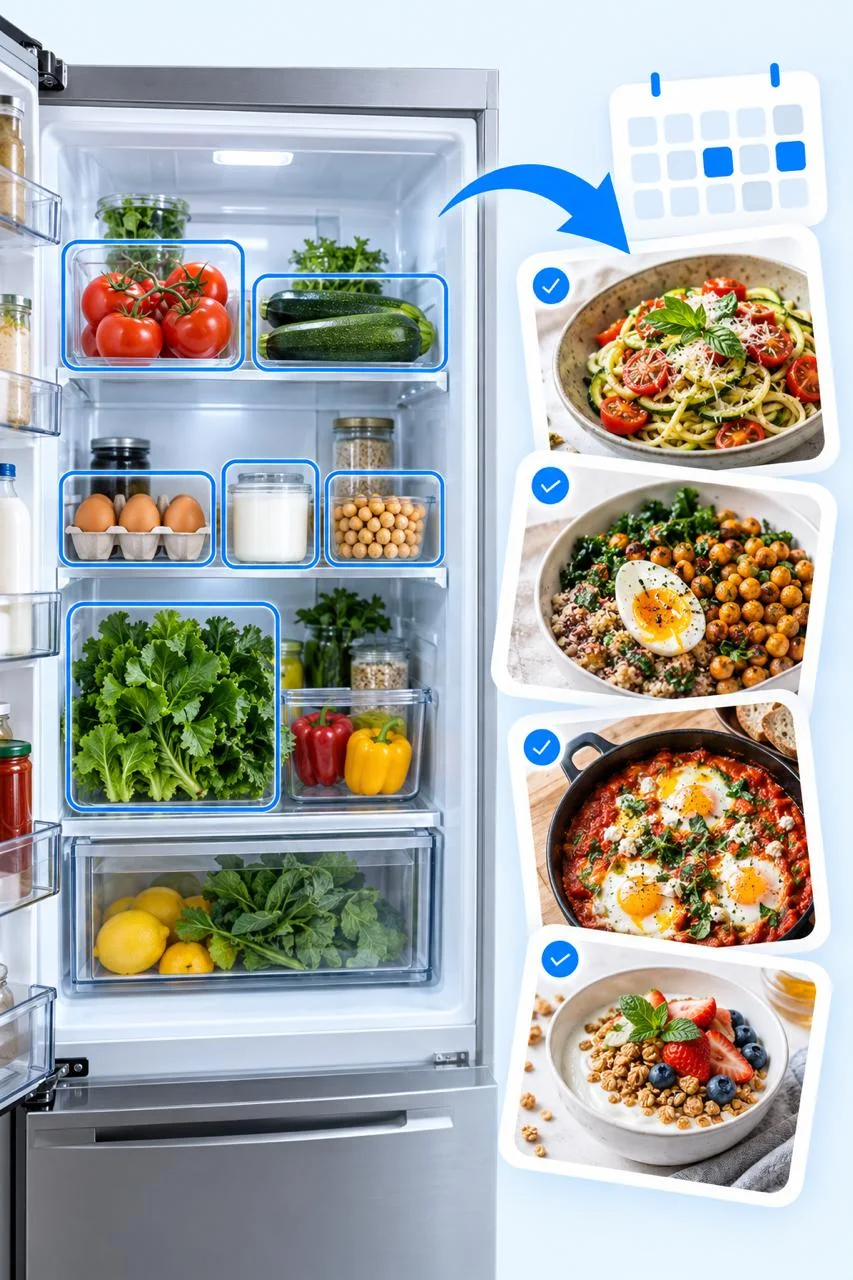
Free text and photos are optional individually. Add either one, review every detected item, and correct the list before planning.
Breakfast, lunch, dinner, and snacks are planned for their context. Lunch and dinner can combine a main, side, and vegetable instead of treating one ingredient as a complete meal.
A plan can use saved recipes or suitable web recipes. Open a saved recipe directly, search online separately, or preview a replacement without changing the rest of the week.
Choose Plan from ingredients at home, then type ingredients or add up to five pantry, refrigerator, or freezer photos.
Confirm the inventory and choose whether RecipeAI may suggest a few clearly disclosed basic extras.
Review the balanced plan, replace only what you dislike, and add all components to your shopping list.
No. You can type ingredients, use photos, or combine both. At least one confirmed ingredient is required.
No. You review the detected list first. RecipeAI does not claim to know hidden contents, freshness, expiry dates, or exact quantities.
No. The daily number is a flexible ceiling and planning guide, not a requirement to reach an exact amount or medical advice.