1
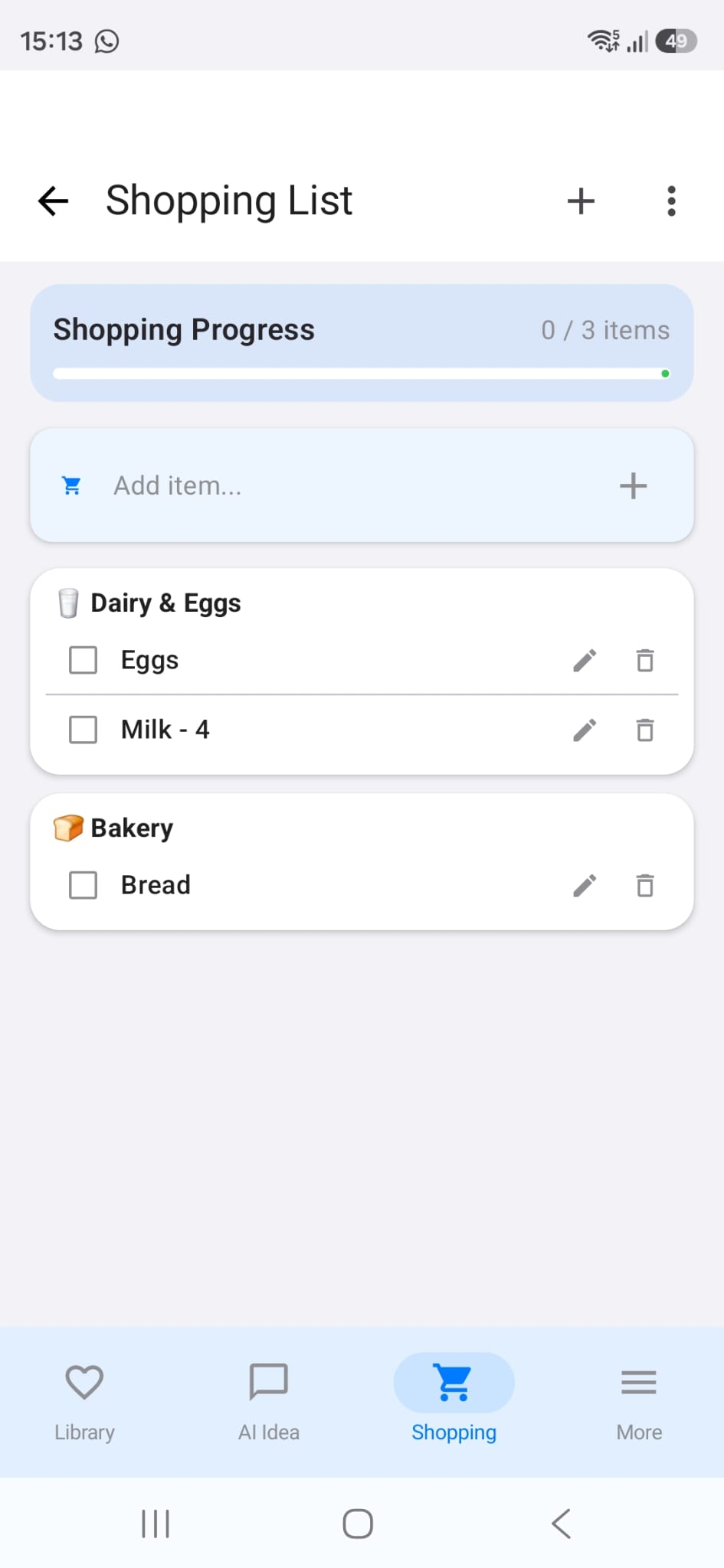
Create your list
Add groceries manually or generate a list from recipes. RecipeAI keeps items organized by category so shopping is easy.
Create a smart shopping list, send it on WhatsApp, and let anyone with Android import the full list into RecipeAI for free.
No copying, screenshots, or messy messages. RecipeAI sends a clean list with categories and a link your recipient can open on Android.
Add groceries manually or generate a list from recipes. RecipeAI keeps items organized by category so shopping is easy.
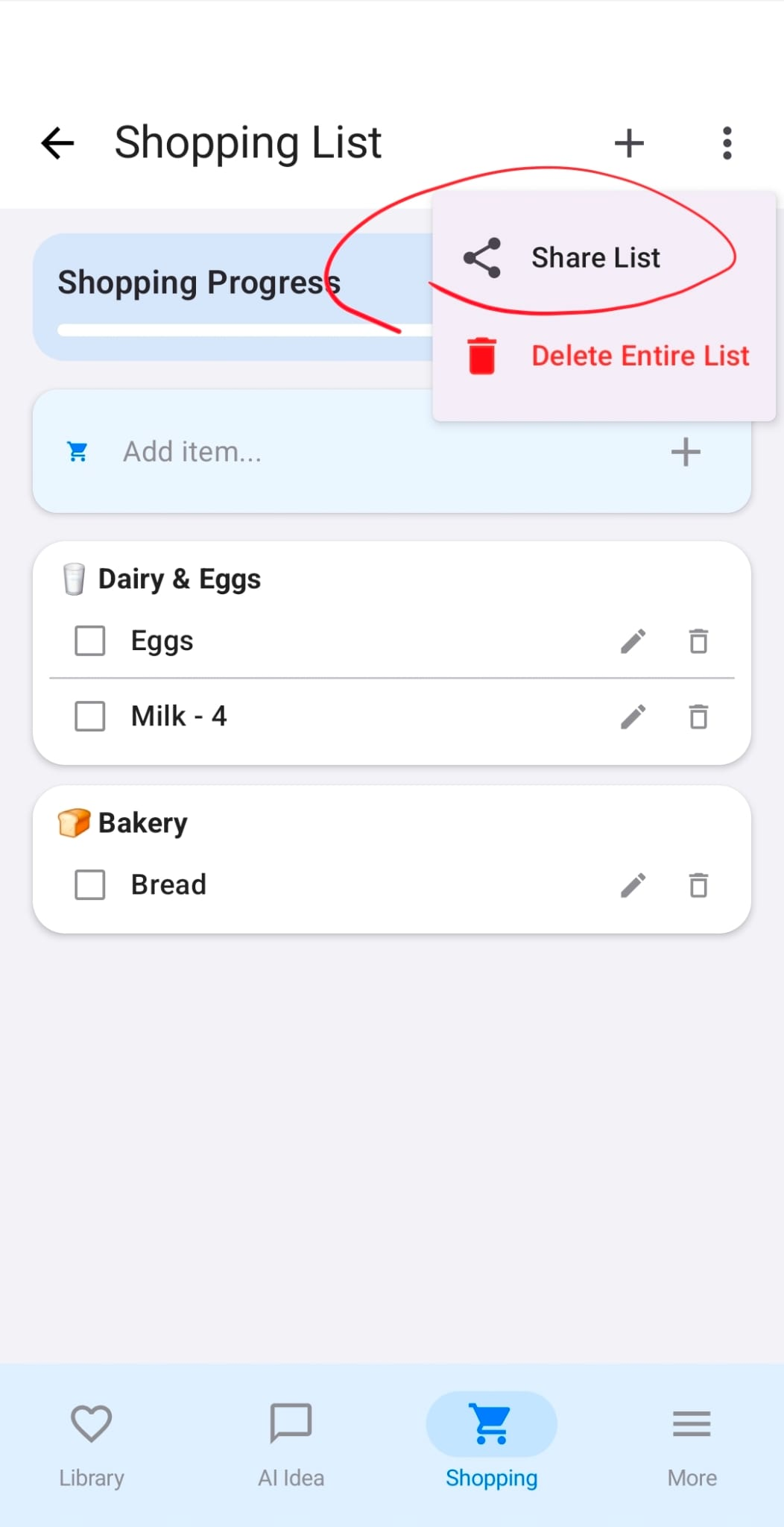
Tap share and send the list to your partner, family, roommate, or anyone doing the grocery run.
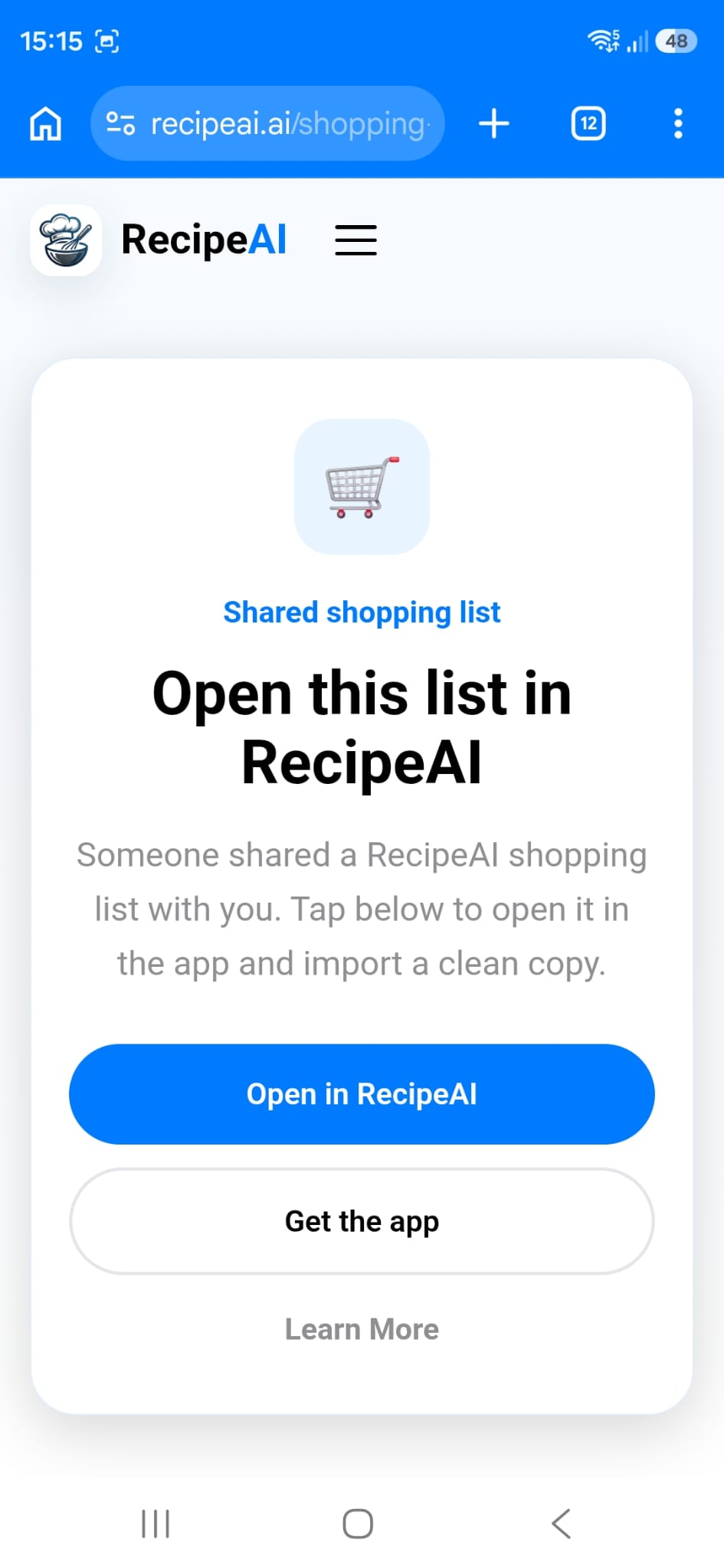
If they already have RecipeAI, the link opens the app. If not, they can download RecipeAI and open the link again.
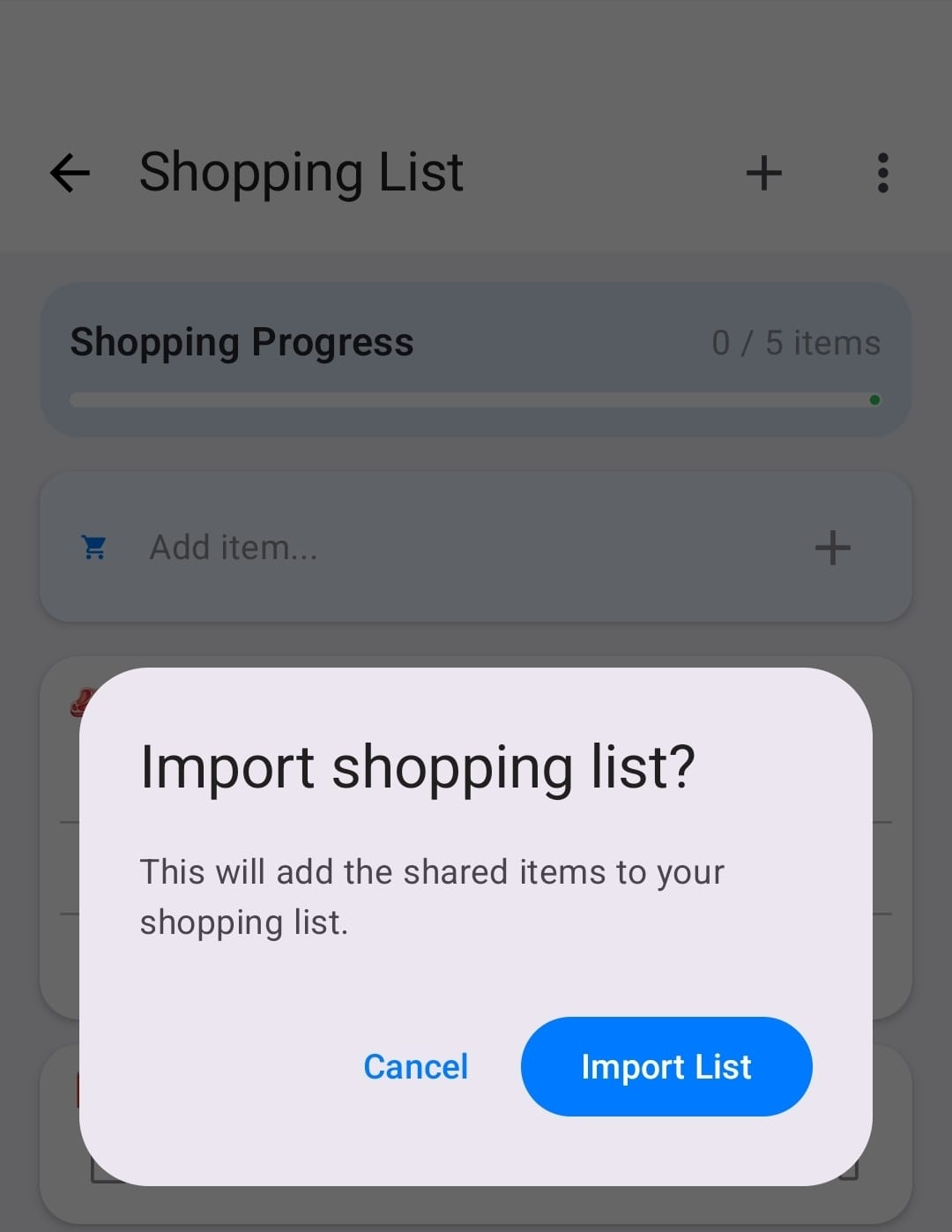
The recipient gets a clean copy inside RecipeAI. It adds to their shopping list without changing yours.
They can check off items while shopping and always see what is still missing.
Sharing and importing shopping lists is free in RecipeAI for Android users.
Your friend receives the groceries grouped by category, plus a link that opens the same list in RecipeAI. They can shop from their own phone for free.
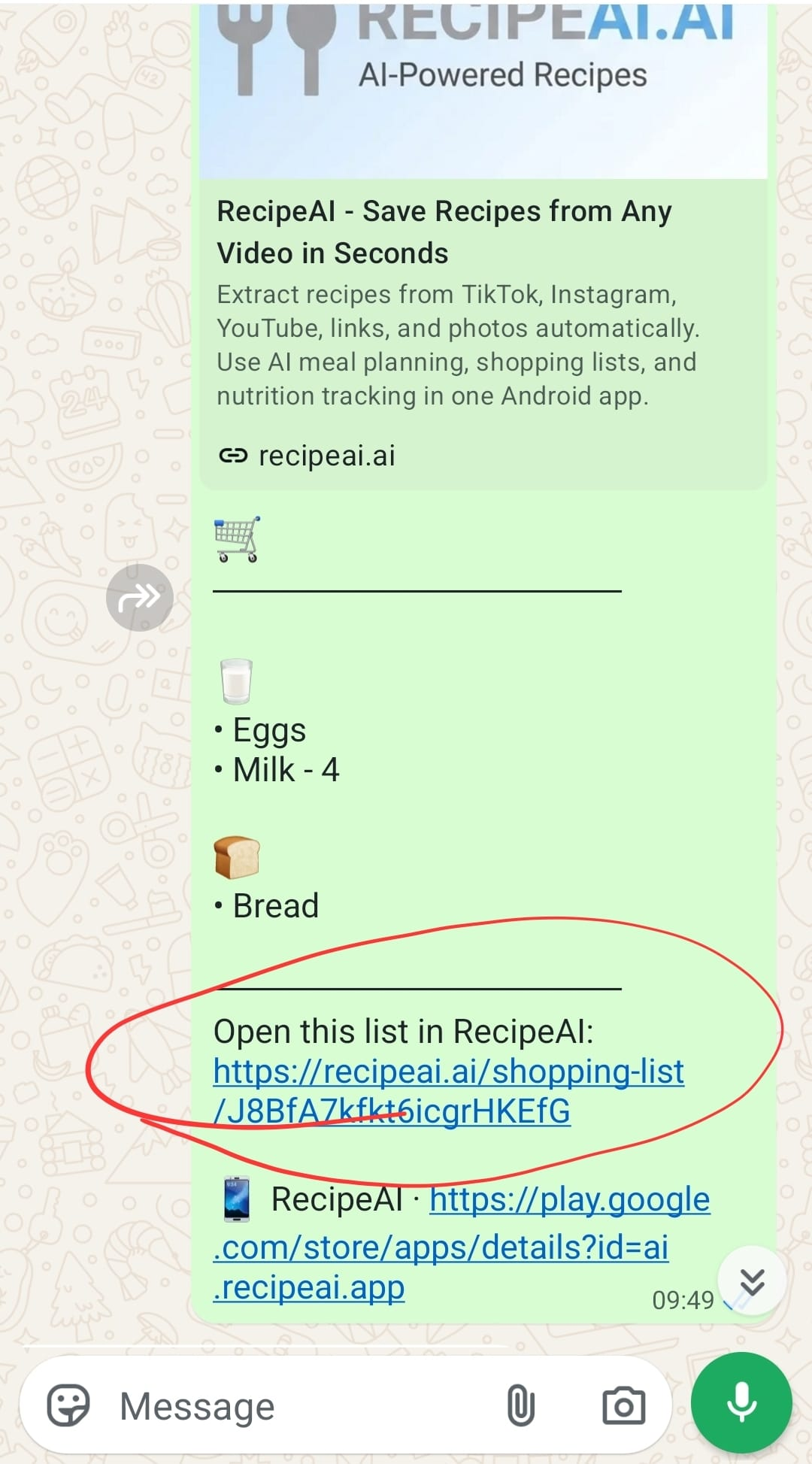
Send a list before someone goes to the supermarket, share weekly groceries with your household, or pass a recipe shopping list to a friend. They get it organized in RecipeAI instead of scrolling through a long message.
Get RecipeAI on Google Play